Kling Omni vs VEO 3.1 vs Seedance 2.0: Which AI Video Model Wins?
- Best Tools
- 8 min read
- Published: May 14, 2026
- Harish Prajapat
Three models. One prompt. Wildly different results.
I spent the last two weeks running the same shot lists through Kling Omni, VEO 3.1, and Seedance 2.0. Not cherry-picked prompts either. Real client briefs. Product clips, talking-head intros, lifestyle b-roll, the stuff people actually make.
The results surprised me. A lot.
If you’re trying to figure out which AI video model deserves your time (and credits) in 2026, this is the honest breakdown. No marketing fluff. Just what each one nails and where it falls apart.
What each model actually specializes in
People keep treating these like they’re interchangeable. They’re not. Each one was trained with different priorities, and you can feel it the second you hit render.
Kling Omni: motion and cinematic feel
Kling is the one I reach for when a scene needs to move. Camera pushes, character action, anything with momentum. The physics feel right. Hair moves with weight. Water actually splashes. A skateboarder doesn’t suddenly clip through the deck.
The downside? It can over-dramatize. Ask for a calm sunset and it’ll throw in a slow orbit you didn’t request. Pretty? Sure. On-brief? Sometimes no.
VEO 3.1: realism and prompt adherence
VEO is the photoreal king. Faces look like faces. Skin has pores. Lighting respects the scene. If you write ‘a woman holding a coffee cup in a Tokyo cafe at golden hour,’ VEO gives you exactly that. Not its interpretation. The thing.
It’s slower. It costs more. And it’s not as bold with motion. But for anything that needs to look like it was actually shot, VEO 3.1 is the answer.
Seedance 2.0: speed and stylized polish
Seedance is the workhorse. Fast renders, clean output, great with stylized content. It’s not as photoreal as VEO and not as cinematic as Kling, but it gets you a usable clip in a fraction of the time.
If you want a deeper look at what it can do, the Seedance 2.0 features breakdown covers the specifics. For now, just know this: it’s the model I use when deadlines are real.
Head-to-head test: realism, motion, prompt accuracy
Here’s where it gets interesting. I ran the same five prompts through each model. Same seed-like approach. Same aspect ratio. Same length (5 seconds).
The prompts:
- Closeup of a woman laughing in natural light
- A red sports car drifting on a wet road
- Slow product rotation: a glass perfume bottle on marble
- A chef plating pasta in a busy kitchen
- Two friends hugging at an airport arrivals gate
Realism scores
VEO 3.1 won 4 out of 5. The only one it lost was the car drift. Why? Because the physics looked too clean. Too controlled. Kling’s drift had real chaos in the tires, the smoke, the camera shake. It felt like footage.
For the closeup laugh, VEO was unreal. Actual micro-expressions. You could see the eyes crinkle slightly before the mouth moved. That’s the kind of detail Kling and Seedance still kinda gloss over.
Motion quality
Kling Omni took this one by a wide margin. The hug at the airport? VEO made it look like two mannequins approaching each other. Kling gave me real momentum. Bags dropping. Arms going around with weight.
Seedance was solid in the middle. Not as wild as Kling, not as stiff as VEO when motion got complex.
Prompt accuracy
This is where VEO 3.1 separates itself. I asked for ‘glass perfume bottle on white marble with soft window light from the left.’ VEO gave me exactly that. Kling moved the light source. Seedance softened the marble to a generic countertop.
If you write detailed prompts and care that the model respects them, VEO is the most disciplined. Honestly, it’s not even close.
Quick scorecard
| Category | Kling Omni | VEO 3.1 | Seedance 2.0 |
|---|---|---|---|
| Realism (faces, skin, light) | 8/10 | 9.5/10 | 8/10 |
| Motion quality | 9.5/10 | 7.5/10 | 8/10 |
| Prompt accuracy | 8/10 | 9.5/10 | 8.5/10 |
| Render speed | Medium | Slow | Fast |
| Best for | Action, cinematic | Photoreal, ads | Social, daily content |
Speed and cost: where it actually hurts
People skip this section. Don’t.
If you’re rendering 50 clips a week for a client or your own channel, the speed difference between these models adds up to entire hours of your life. Or your delivery deadline.
Render times (5-second 1080p clip)
- Seedance 2.0: around 35-55 seconds. Sometimes faster.
- Kling Omni: around 90-130 seconds, depending on motion complexity.
- VEO 3.1: 2-4 minutes. Sometimes longer for complex scenes.
That’s not nothing. If I’m iterating 10 versions of a shot, Seedance gets me there in 6 minutes. VEO might take 40.
Cost per render
This part depends on where you run them. Direct access to each platform separately gets expensive fast. Three subscriptions, three credit systems, three logins. It’s annoying.
The reason I ended up on MagicShot’s AI video generator is because all four models (yes, Wan 2.6 too) live under one subscription. You pick the model per generation. No double-paying. No swapping accounts.
Actually, scratch that, it’s not just convenience. It’s the only way to stress-test which model works for your specific style without burning $200 on subscriptions you’ll cancel.
Best model for social, ads, and storytelling
Different jobs. Different winners.
Social media (TikTok, Reels, Shorts)
Seedance 2.0. Not even a debate.
You need volume. You need vertical. You need clips that don’t take 4 minutes each. Seedance renders 9:16 cleanly, handles trendy stylized looks well, and lets you iterate fast enough to actually catch a trend before it dies.
If you’re chaining clips together with AI video effects for short-form content, Seedance is the base layer most creators end up on.
Ads and product marketing
VEO 3.1, for premium brands. Kling Omni, if motion matters.
Here’s the thing: ad clients want their product to look exact. The right finish on the metal. The right reflection in the glass. VEO respects that better than anything else. The shot looks like it came from a $20K shoot day.
But if the ad needs energy (a sneaker exploding into action, a drink pouring with motion), Kling Omni takes the win. VEO will give you a still-frame-with-tiny-motion look. Kling will give you a moment.
Storytelling and narrative
Kling Omni, mostly. Storytelling needs movement. Characters need to walk into rooms, react, look at each other. VEO can do it, but it stiffens up when scenes get layered. Kling rolls with it.
For dialogue-heavy or expression-heavy moments, swap to VEO for those shots. Mix the models. That’s the trick most creators miss.
How to use all four models on MagicShot
Here’s the workflow I landed on. Maybe useful, maybe not.
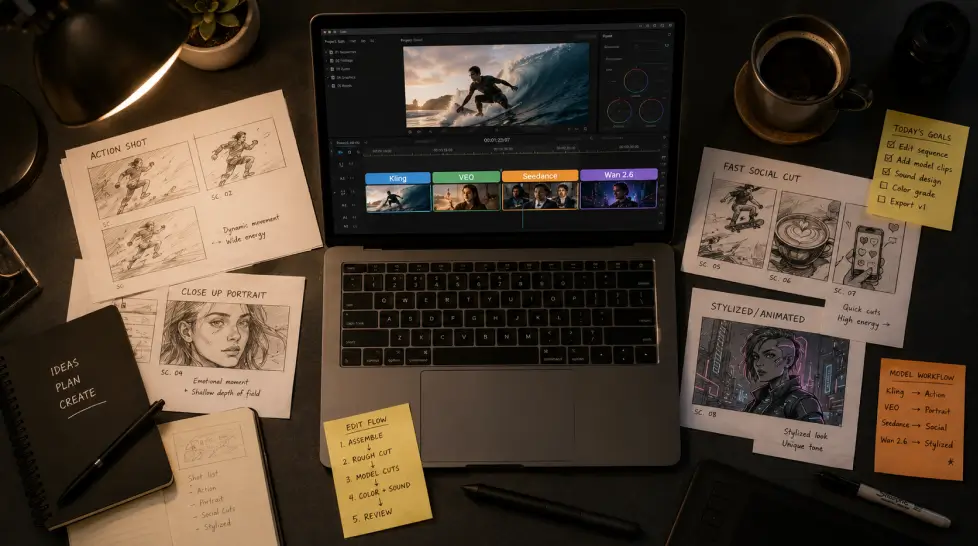
- Start with a still image. Generate or upload your reference frame. This anchors the look.
- Pick the model based on the shot. Action? Kling. Closeup? VEO. Quick social cut? Seedance. Stylized character work? Wan 2.6.
- Use image-to-video for control. Text-to-video is fun but unpredictable. Image to video gives you the composition you already approved, then animates from there.
- Iterate cheap models first. Test the prompt on Seedance to lock in framing. Then push the final version through VEO or Kling if quality demands it.
- Add sound after. All three models render silent. Layer audio in post. Or use a separate generator for ambient sound.
That last one trips up beginners. None of these models give you usable native audio yet. Plan for it.
Where each model still fails
None of these are perfect. Pretending they are makes you look like an affiliate.
Kling Omni weaknesses
- Sometimes adds motion you didn’t ask for. Camera moves on still subjects. Annoying.
- Text rendering is still rough. Don’t ask for a sign or label.
- Hands. Still hands. Fewer issues than a year ago but not solved.
VEO 3.1 weaknesses
- Slow. Really slow on complex prompts.
- Conservative motion. Sometimes too conservative for dynamic shots.
- Can feel sterile. Photoreal but emotionally flat in certain scenes.
Seedance 2.0 weaknesses
- Not as photoreal as VEO. Close, but you can tell on closeups.
- Less dramatic camera work compared to Kling.
- Stylized content sometimes leans too ‘AI-looking’ if your prompt isn’t specific.
Every model has tradeoffs. The win is knowing which tradeoff hurts your project least.
The winner for 2026
I knew this was coming. So here it is, honestly.
There is no single winner. And anyone telling you there is hasn’t shipped enough video.
But if I had to rank them by overall value across the most common use cases in 2026:
- VEO 3.1 for prompt-accurate, photoreal output. The gold standard when realism matters.
- Kling Omni for cinematic motion and emotional shots. The model with the best ‘feel.’
- Seedance 2.0 for speed and social. The daily driver for most creators.
The real winner is whoever runs all three. That’s not a sales line. That’s what actually happens when you do this for a living. You pick the model that fits the shot, not the other way around.
And honestly, the gap between these three is closing every few months. The Kling Omni review I’d write in six months might look completely different. Same for VEO. Same for Seedance. That’s why locking into one platform that runs all of them is the move.
So what should you actually do
Test all three on the same prompt. Use a real prompt from your real workflow. Not ‘a cat in space.’ Something you’d actually deliver.
Render the same clip three ways. Compare them at full size, not thumbnails. Pay attention to motion, faces, light, and how much cleanup you’d need.
Then pick your default. Keep the other two for shots where the default falls short.
That’s the whole game.
Don’t trust a review (including this one) that picks an absolute winner. Trust your own eyes on your own prompts. The model that makes your work look best is the right one. Everything else is noise.
Frequently Asked Questions
VEO 3.1 wins on photoreal human faces and lighting consistency. But Kling Omni is closer than people admit, especially on full-body motion. Seedance 2.0 wins on stylized realism and is faster to render. So ‘most realistic’ depends on the shot. For closeup portraits, VEO. For action and motion, Kling. For polished marketing shots, Seedance.
VEO 3.1 has better prompt adherence and physics. Kling Omni has more dramatic motion and handles complex camera moves better. VEO costs more per render and takes longer. Kling is faster and cheaper. For dialogue or product close-ups, pick VEO. For dynamic scenes with movement, pick Kling Omni.
For most short-form social content, yes. Seedance 2.0 renders faster, handles vertical 9:16 well, and produces clean output that doesn’t need much cleanup. Kling Omni gives you more cinematic depth but takes longer per clip. If you’re posting daily Reels or TikToks, Seedance is the workhorse.
Yes. MagicShot runs Kling Omni, VEO 3.1, Seedance 2.0, and Wan 2.6 under one subscription. You pick the model per generation instead of subscribing to four separate platforms. That’s the main reason most creators consolidate there.
VEO 3.1 for premium brand ads where lighting and material accuracy matters most. Seedance 2.0 for fast-turnaround product videos and ad variants. Kling Omni when you need motion, like a product spinning or unboxing-style movement. Test all three with the same product shot and pick what your audience responds to.